Every booking shows whether the client has filled in your health form. If they have, and you are allowed to, you can open their answers right there.
The Health form section of a booking
Open a booking from the calendar or the bookings list. Booking Details has a Health form section under the client’s details.
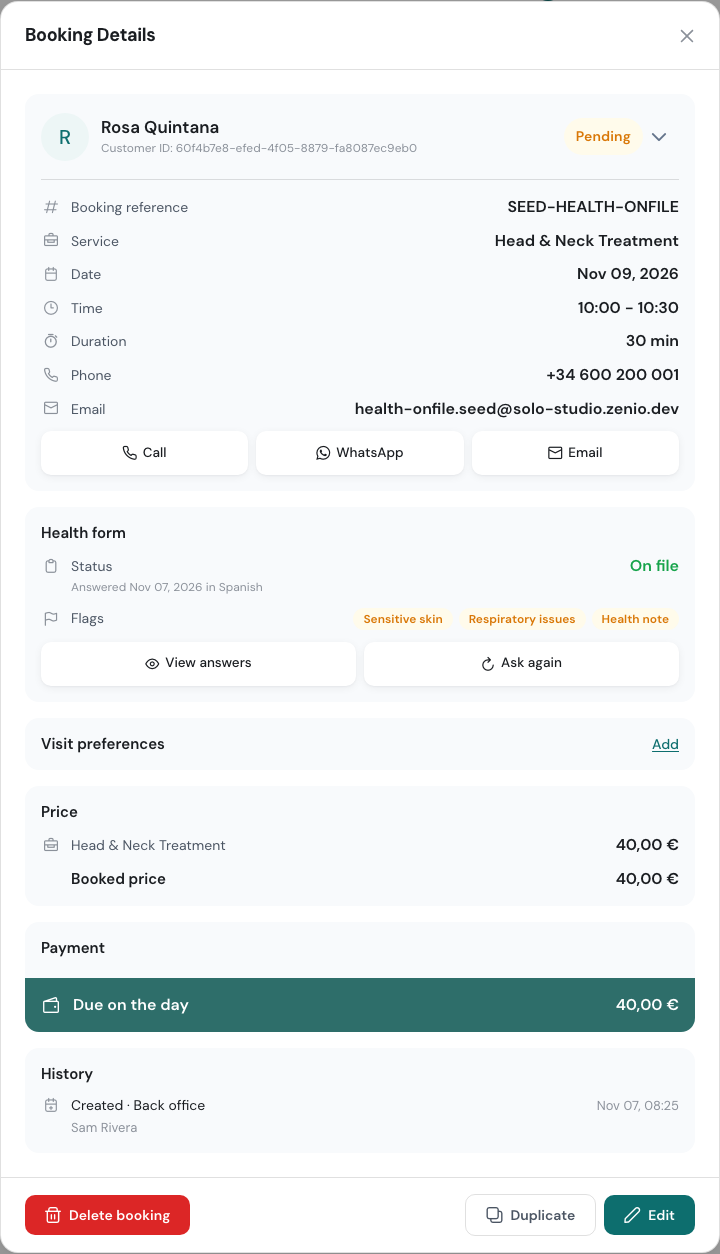
Status says where the form stands:
| Status | What it means |
|---|---|
| On file | The client has answered. The line below says when and in which language, and whether they filled it in at the shop. |
| Not filled in | The client hasn’t answered yet. |
| On file · 1 due | Answers are on file, but a question you ask again after some months is out of date. |
| Asked again | You asked the client to fill in the whole form again and they haven’t yet. |
| Needs a look | The client gave an answer your form stops online bookings for. Call them. |
Flags shows the answers you marked Show as a flag on bookings, such as “Sensitive skin”, so the therapist sees them without opening the form. Health note means the client wrote something in a text question you flagged.
The buttons under the status depend on the state of the form:
- View answers opens the full answers.
- Earlier answers shows what the client answered before their latest change.
- Ask again asks the client to fill in the whole form again.
- Show QR and Fill in on this device let the client fill it in at the shop. See At the shop.
- Send form link emails the client a link to the form. It needs an email address on the client.
- Mark reviewed clears a Needs a look.
On a phone the section is the same, with the buttons one under the other.
When the form isn’t filled in
The section shows Health form not filled in yet above the status.
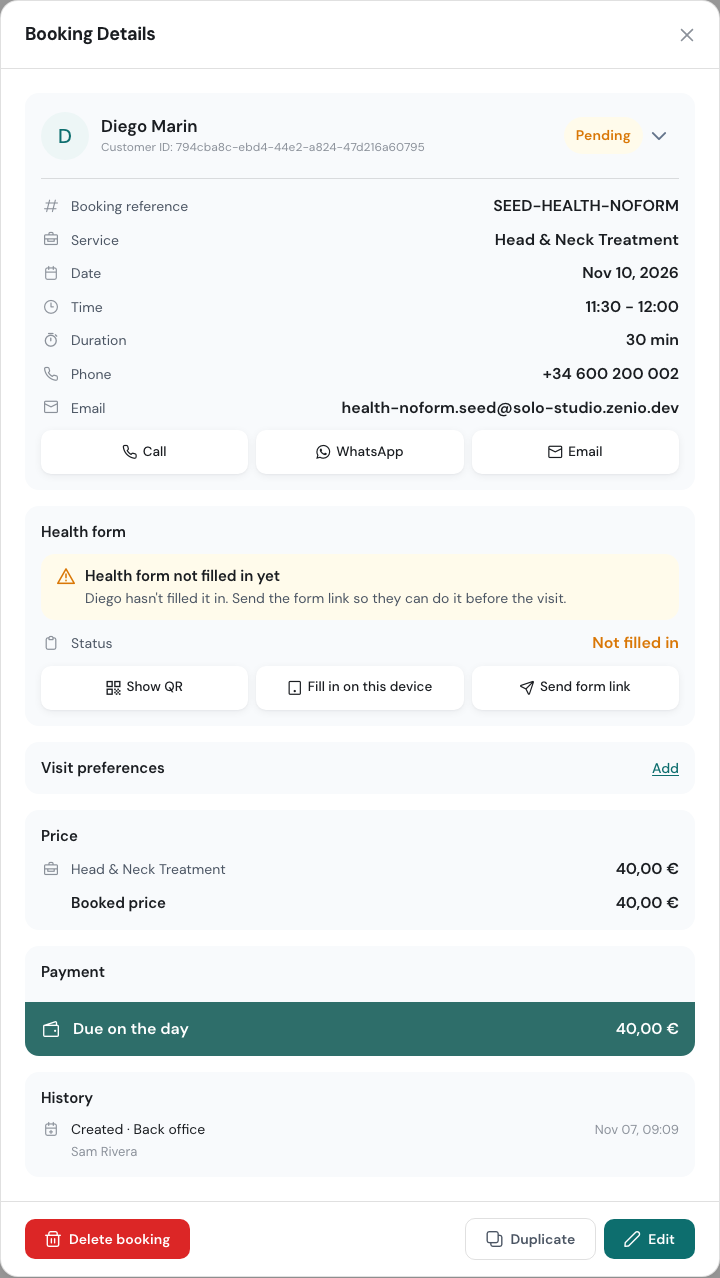
Click Send form link to email it to the client before the visit. If they’re already at the shop, use Show QR or Fill in on this device.
Needs a look
When a client picks an answer that stops the booking and sends the form anyway, the booking shows A health answer needs a look, with the answer they gave. Call the client before the visit and decide together whether to go ahead, change the treatment or cancel.
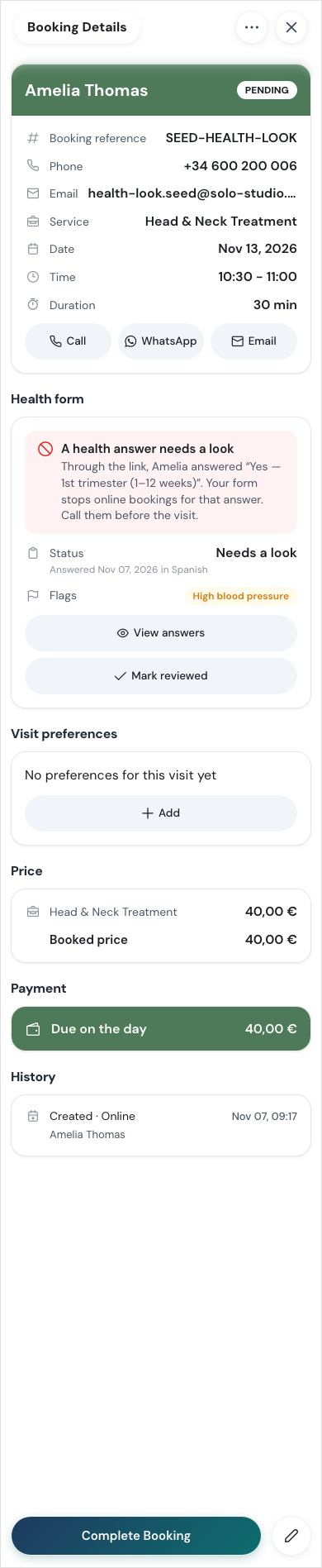
When you have dealt with it, click Mark reviewed.
Out-of-date answers
For a question set to Ask again after a while, the booking shows how many answers are out of date and when each was last answered. The client is asked those questions again when they next book online. To ask before this visit, click Send form link.
Asking again
Click Ask again when a client’s health has changed, for example after an operation, and you want fresh answers. The client is asked to fill in the whole form again: their next link, or the form at the shop, starts from the beginning.
When the new answers arrive, the booking says Changed on and the date. Earlier answers shows the previous set, with when it was sent and replaced.
Reading the answers
Click View answers.
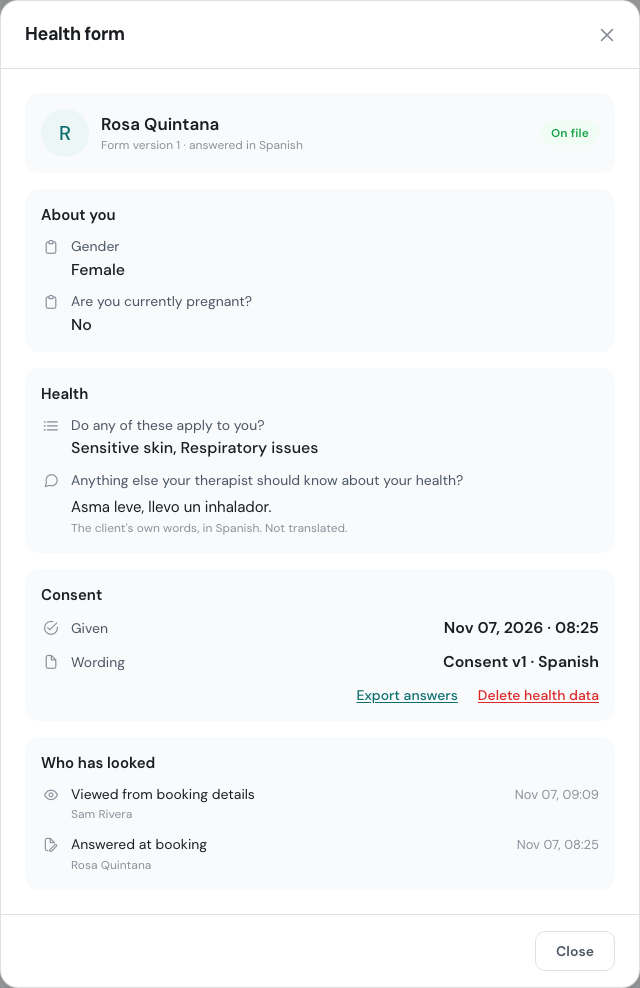
The answers are grouped the way the form is. Anything the client typed is shown in their own words and their own language. WellDesk doesn’t translate it.
The Consent part shows when the client agreed and which version of the wording they saw.
Health details belong in the form, not in booking notes or client notes. The notes fields remind you of this.
Who can open health answers
- The owner can always open every client’s answers.
- Administrators and team members can only if the owner turns on See health forms for them, in Team → Members, Edit on that person.
With See health forms on, a person can open the answers of:
- their own clients, from a week before the visit until a day after it;
- every client booked that day, on a day they are working.
Without it, they still see whether the form is on file, but not the answers or the flags.
The owner can also ask everyone to enter a PIN before the answers open. See Health Form PIN.
Who has looked
Each time someone opens, exports or deletes a client’s answers, it is recorded. Owners see the list under Who has looked: who, what they did and when.
If one person opens the answers of many different clients in a short time, the owner gets an email about it.
Export or delete a client’s answers
Only the owner can do these, from the answers:
- Export answers downloads them, for example when a client asks for a copy.
- Delete health data removes the client’s answers, consent and form history for good. Enter your password to confirm. The client is asked to fill in the form again before their next visit.
A client’s answers are also deleted on their own 24 months after their last visit or their last answers, unless they have a visit booked.
On a client’s record
On a phone, a client’s details (Menu → Clients, then the client) have a Health form section too. It shows whether the answers are on file, with View answers, or when the link was emailed, with Send again.