A gift card is spent when you complete a booking. The customer can add it while booking online, or hand it over at the desk. Either way, the money comes off the card at checkout, not before.
Switch it on first
Turn on Gift Card Payments under Settings → Shop → Payments. Until you do, Gift card is not offered when you complete a booking, except on a booking the customer made online with a gift card.
When the customer books online
The gift card email has a link to book. It opens your booking page with the card already added.
A customer can also type the code. On the last step, before Confirm booking, they enter it in the Discount or gift card code field and click Apply. On a phone they tap Add a code first. The same field takes discount codes.
The price then shows what the card covers (Paid with your gift card) and anything left to pay (On arrival).
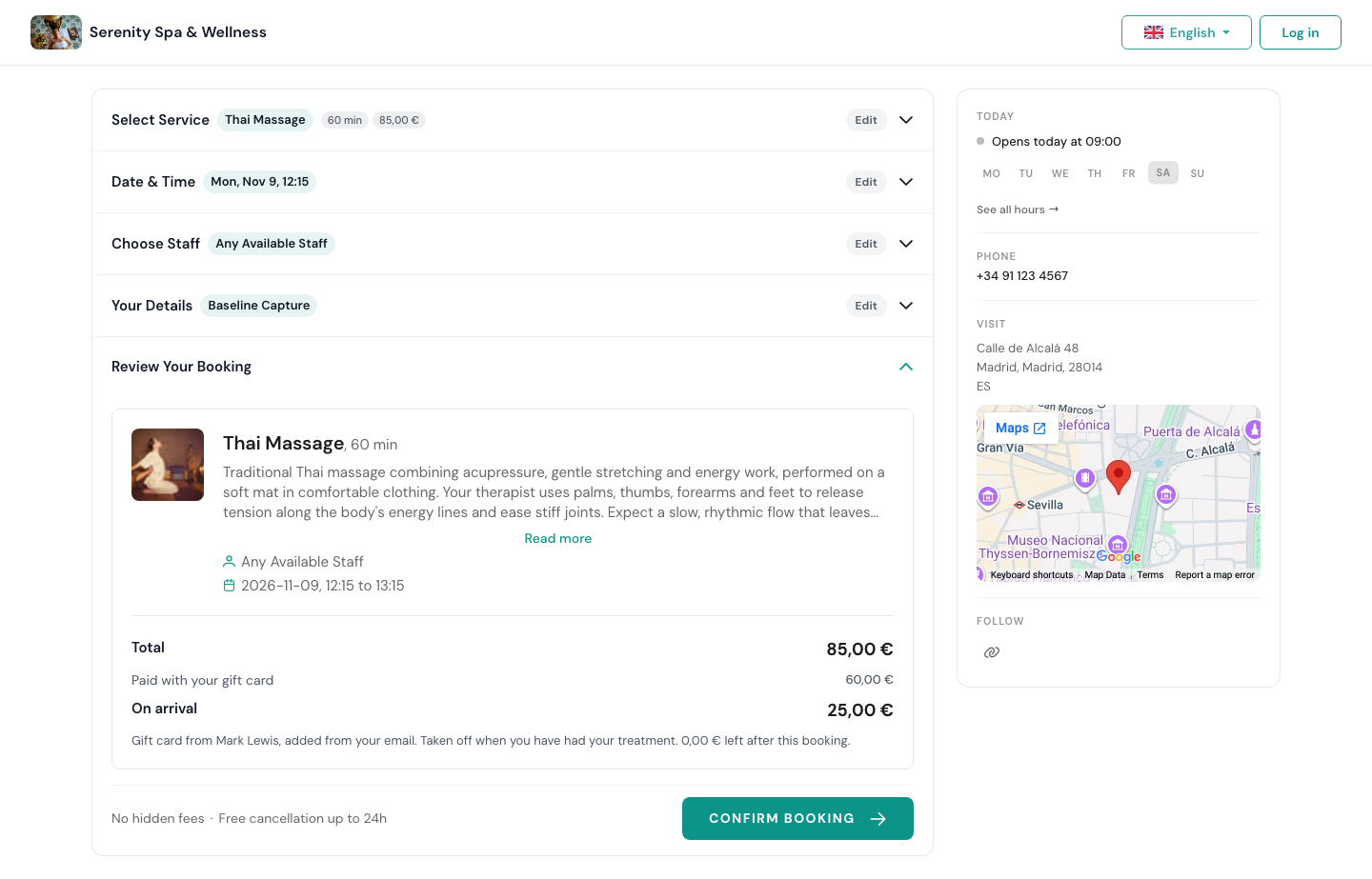
Nothing is taken off the card when they book. The customer is told so: the card is used when they have had the treatment. If the booking is cancelled, the card keeps its full balance.
On your side, the booking’s Price card shows the gift card amount, who the card is from, and what is still due on arrival.
A card that has expired or has nothing left is refused with a message, and the customer can still book without it.
At checkout
- Open the booking and click Complete Booking.
- Under Payment methods, click Gift card.
- Type the code and press Enter. On a phone you can scan it instead (see below).
- Check the card that comes up and complete the booking.
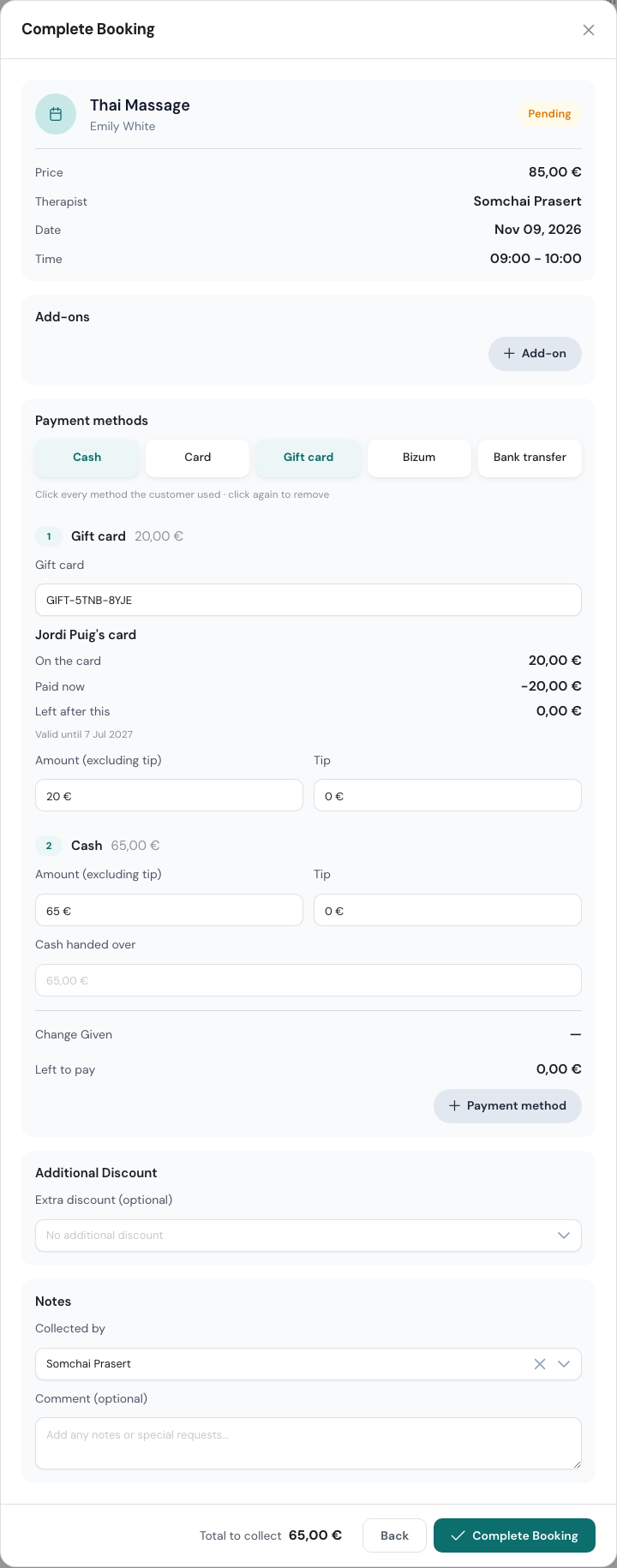
Once the code is found, you see whose card it is, what is On the card, what is Paid now, what is Left after this, and how long it is valid.
If the booking was made online with a gift card, checkout already opens on Gift card, with the code filled in.
When the card doesn’t cover it all
Click a second method as well, for example Cash, and enter the rest there. Left to pay shows what is still missing. The gift card pays its part and the customer pays the difference.
The amount on the gift card line, tip included, can’t be more than what is on the card. If it is, WellDesk tells you the card’s balance so you can lower the amount or the tip.
Messages you may see
| Message | What it means |
|---|---|
| No gift card has this code. | A typo, or a card from another shop. Check the code. |
| This gift card has expired. | Its date has passed. You can give it a new date on the card’s page. |
| Nothing is left on this gift card. | It has been used up. |
| This gift card no longer has enough on it. | It was used somewhere else in the meantime. Lower the amount. |
Scanning the QR code on a phone
The gift card PDF has a QR code. When you complete a booking on a phone:
- Tap Gift card, then tap Scan.
- Point the camera at the QR code, on the customer’s phone or on paper. Hold the phone still: it reads the code by itself.
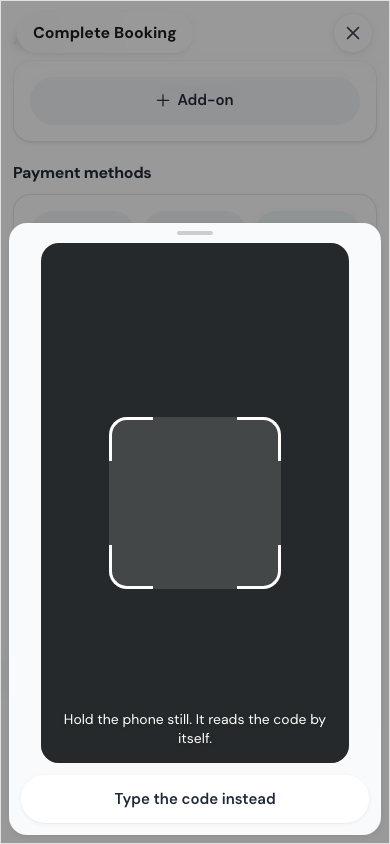
The first time, your browser asks to use the camera. If you said no, allow it in the browser settings, or tap Type the code instead.
On a computer there is no Scan button. Type the code instead.
Undoing a gift card payment
If you reopen a completed booking, the amount it took goes back on the card. On the card’s page it shows under Used as Put back. Editing the payment of a completed booking adjusts the card the same way.