A gift card in WellDesk is a code with money on it. Someone buys it for a friend, the friend gets it by email, and spends it on treatments, in one visit or several.
A card gets made in one of two ways. A customer can ask for one on your booking page: you send them your payment link, mark the request paid, and the card is emailed to the person it is for (see Gift Card Requests). Or someone pays you in the shop and you add the card yourself (see Adding and Managing Gift Cards).
WellDesk does not take the money for a gift card. You get paid your usual way: your own payment link, cash, card, Bizum or a bank transfer.
This page covers the settings. Only Owners and Administrators can see gift cards.
Where the settings are
- On a computer: Settings → Shop → Gift cards.
- On a phone: Menu → Shop settings → Gift cards.
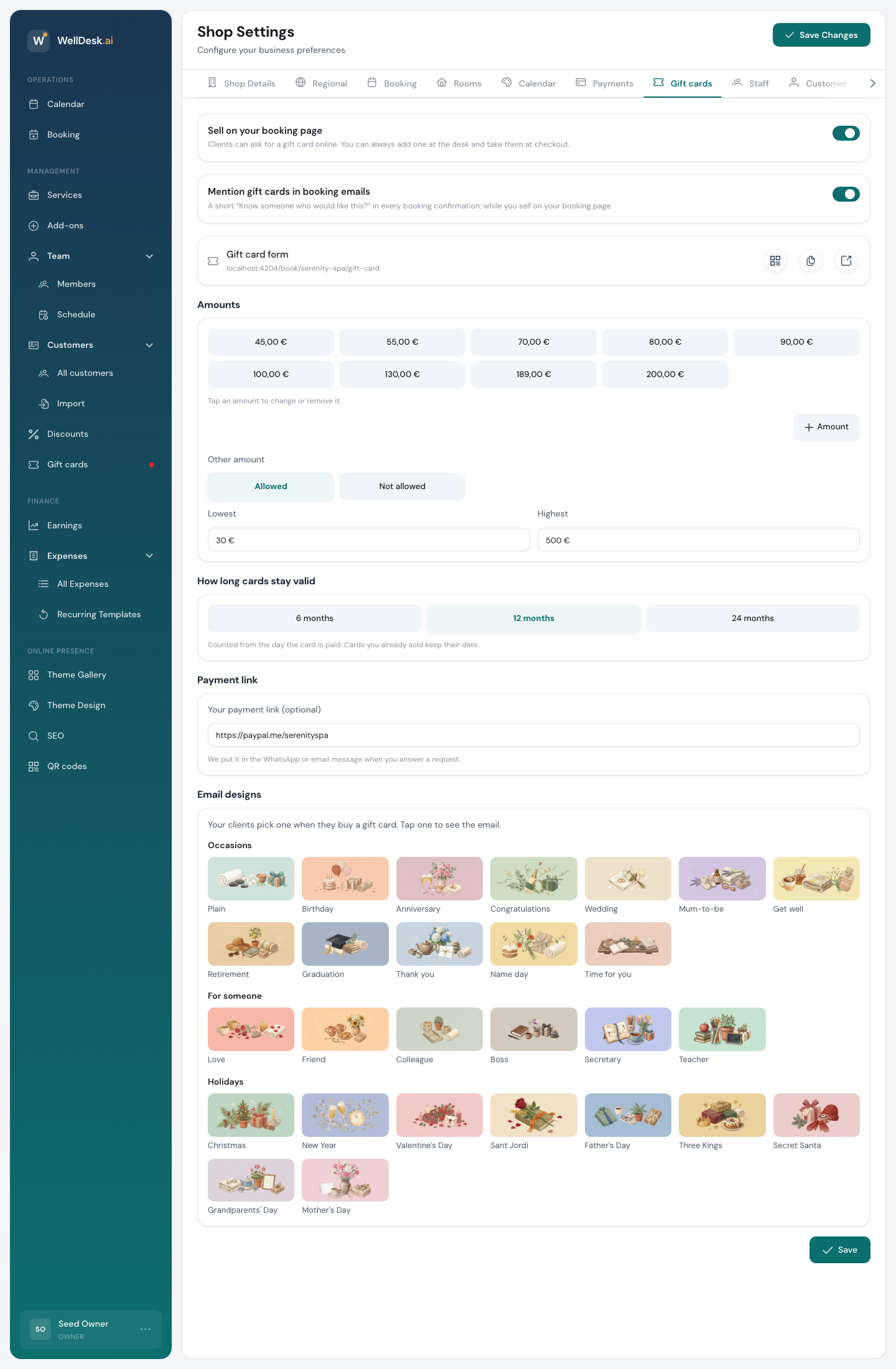
Change what you need and click Save at the bottom of the tab.
Sell on your booking page
Switch on Sell on your booking page to let customers ask for a gift card online. A Gift card entry then appears among your treatments on your booking page, with a “From” price.
With it off, nobody can ask for a card online. You can still add cards at the desk and take them as payment.
The gift card form works on its own: it stays open even if you have switched off online bookings.
Mention gift cards in booking emails
Mention gift cards in booking emails adds a short “Know someone who would like this?” to every booking confirmation. It only shows while you sell on your booking page.
Sharing the gift card form
The Gift card form row shows the address of the form. The three buttons beside it show its QR code, copy the link, and open the form.
You can share the link on its own, for example in your Instagram bio or in a message to a regular who asked about gift cards.
Amounts
These are the amounts a customer can pick on the form.
- Click Amount to add one.
- Click an amount to change or remove it.
You can have up to 12 amounts, each between 1 and 10,000.
Other amount decides whether the customer can type their own:
- Allowed: set the Lowest and Highest amount you accept.
- Not allowed: they pick from your list.
How long cards stay valid
Pick 6 months, 12 months or 24 months. The time counts from the day the card is paid, not the day it was asked for.
Changing this only affects new cards. Cards you already sold keep their date.
Payment link
Your payment link (optional) is a link where people can pay you: a PayPal.me link, a Stripe
payment link, or anything that starts with https://.
When you answer a request by WhatsApp or email, WellDesk puts this link in the message for you. You can change it for a single request when you answer it.
Without one, you can still mark a request paid after the buyer pays you some other way.
Email designs
The customer picks the look of the email the gift card arrives in. There are 29 designs, grouped under Occasions, For someone and Holidays: Birthday, Christmas, Thank you, Mother’s Day and so on. Plain suits any occasion.
Click a design to see the email it sends.
What the person receiving it gets
When a card is paid, the person it is for gets an email with the message from the buyer, in the design the buyer chose. The gift card is attached as a PDF, with the code and a QR code.
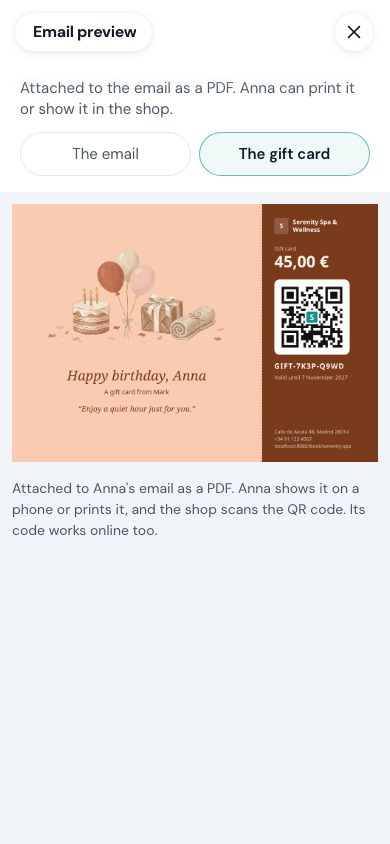
They can show it on their phone or print it. In the shop you scan the QR code or type the code. The code also works when they book online. See Taking Gift Card Payments.
Taking gift cards at checkout
To take a gift card when you complete a booking, switch on Gift Card Payments under Settings → Shop → Payments as well. Without it, Gift card is not offered as a payment method, except on a booking the customer made online with a gift card.